Understanding Laser Engraving Designs
Laser engraving is a transformative technology that has revolutionized the way we create designs on various materials. With its precision and versatility, it offers artisans, entrepreneurs, and hobbyists the ability to produce intricate patterns, personalized gifts, and functional items that resonate with consumers. In this article, we will delve into the nuances of laser engraving designs, exploring types of materials, applications, inspiration sources, and much more, including how you can create your own laser engraving designs.
What is Laser Engraving?
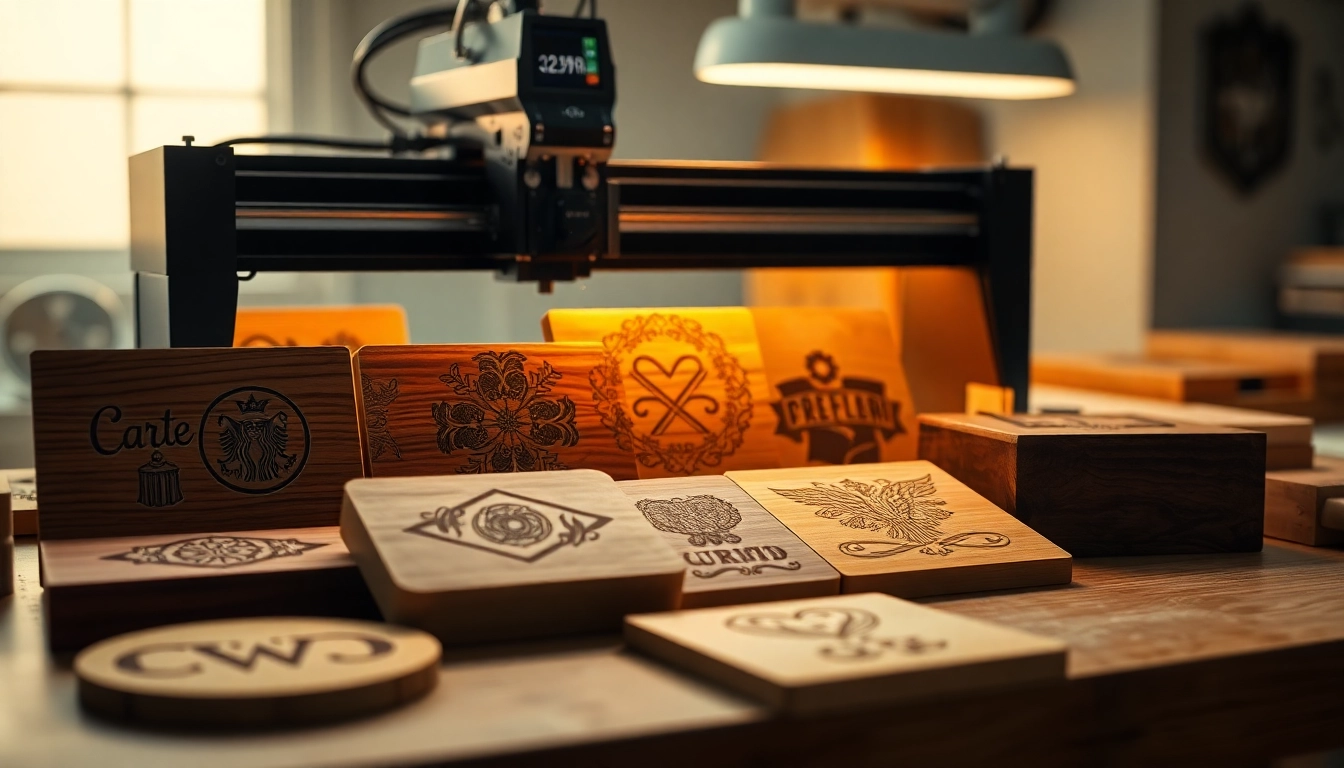
Laser engraving is a process that utilizes high-powered lasers to remove material from the surface of an object. This is achieved through the focused energy of the laser beam, which vaporizes or etches away layers of the material. The result is a permanent marking that can vary in depth, texture, and detail, depending on the settings used and the type of material being engraved. It is widely utilized in a variety of industries ranging from personalized gifts to industrial applications.
Types of Materials for Laser Engraving Designs
Laser engraving can be performed on an array of materials, each offering its unique aesthetic and functional benefits. Here are some popular materials used for laser engraving:
- Wood: Offers a warm, natural finish that enhances engraved designs.
- Acrylic: Provides vibrant colors and is easy to work with, making it a favorite for signage.
- Glass: Perfect for creating elegant decorations and awards, showcasing intricate patterns.
- Leather: Commonly used for personalized gifts—think wallets and belts with unique engravings.
- Metal: Durable and great for industrial applications, often used for nameplates and tags.
Common Applications of Laser Engraving Designs
Laser engraving designs find applications across various sectors. Here are a few notable uses:
- Personalized Products: From custom gifts like photo frames to unique jewelry items, laser engraving adds a personal touch.
- Industrial Marking: Companies utilize it for branding, including logos and QR codes, engraved on tools and machinery.
- Artistic Creations: Artists leverage laser engravers to add intricate details to their work, from sculptures to wall art.
- Home Decor: Customized home items, such as coasters and cutting boards, can feature beautiful designs.
Popular Laser Engraving Design Ideas
Personalized Gifts: Making Unique Keepsakes
Gift-giving can feel impersonal if the items selected are generic. Personalized gifts stand out, and laser engraving can create cherished keepsakes. Ideas include:
- Engraved Jewelry: Personalize bracelets, rings, or necklaces with names or significant dates.
- Custom Photo Frames: Add a heartfelt quote or the recipient’s name to elevate a simple frame.
- Unique Keychains: Create keychains featuring special symbols or initials for a practical yet thoughtful gift.
Home Decor: Integrating Art into Living Spaces
Laser engraving can elevate your home decor, offering both functional and artistic options:
- Wall Art: Engrave motivational quotes or captivating designs onto wood or acrylic panels.
- Customized Cutting Boards: A practical addition to any kitchen, adorned with family names or recipe engravings.
- Personalized Coasters: Use laser engraving to create coasters that reflect the recipient’s style, perfect for entertaining.
Functional Items: Everyday Uses for Laser Engraving Designs
Beyond aesthetics, laser engraving can enhance the functionality of everyday items:
- Business Cards: Stand out with embossed visuals or names, making the first impression unforgettable.
- Office Supplies: Personalized pens or desk organizers can showcase individual brands or identities.
- Gift Tags: Intricately engraved tags add a personal flair to presents, ensuring they are memorable.
How to Create Your Own Laser Engraving Designs
Software Tools for Designing
Creating your custom laser engraving designs begins with the right software. Some popular options include:
- Adobe Illustrator: A professional tool for designing vector graphics suitable for laser engraving.
- CorelDRAW: Ideal for both beginners and professionals, offering templates and various design features.
- Inkscape: A free, open-source option that allows for vector design and can be used for laser projects.
Utilizing Templates for Easy Project Execution
If you’re not a seasoned designer, utilizing templates can simplify the creation process:
- Online Resources: Websites offer free and paid laser design templates in formats like SVG and DXF.
- Modification: Customize existing designs to fit your needs—adjust sizes and elements to make them your own.
- Beginner Kits: Some companies offer starter kits that include templates and materials ideal for learners.
Testing and Refining Your Designs
Once your design is complete, it’s crucial to test it before proceeding to larger runs:
- Mock Trials: Use scrap materials to trial engravings, checking for accuracy and detail.
- Adjust Settings: Modify power and speed settings based on your material to achieve the desired outcome.
- Feedback: Gather critics or friends’ opinions to refine designs before finalizing them.
Best Practices for Laser Engraving Designs
Understanding Settings for Different Materials
Each material requires specific settings for optimal engraving results:
- Power Levels: Adjust the power according to the material’s thickness and type—wood usually needs less power than acrylic.
- Speed Settings: Higher speeds may reduce depth; slower speeds often allow for more intricate details.
- Focus Distance: Ensure the laser is focused correctly on the material to prevent burning or uneven engraving.
Maintenance Tips for Equipment
Proper maintenance can extend the life of your laser engraving machine and improve quality:
- Regular Cleaning: Keep the lens clean and free from residue to maintain optimal performance.
- Check Alignment: Routinely check the alignment of the laser head to ensure accuracy during operation.
- Software Updates: Keep your software up to date to access the latest features and fixes.
Safety Precautions during Engraving
Safety should always be a priority when working with laser engraving equipment:
- Eye Protection: Wear appropriate safety glasses to protect against harmful laser exposure.
- Ventilation: Ensure that your workspace is well-ventilated to avoid inhaling any fumes released during engraving.
- Proper Training: Familiarize yourself with the machine’s operation and safety guidelines before starting.
Resources for Finding Laser Engraving Designs
Online Libraries and Marketplaces
There are numerous platforms where you can obtain high-quality laser engraving designs:
- Design Bundles: This site offers a plethora of free and commercial use designs, perfect for any project.
- Creative Fabrica: A go-to for digital assets, featuring a wide range of engraving files.
- Pinterest: An excellent source for inspiration and linking to unique designs from various blogs and sites.
Community Groups and Forums for Sharing Ideas
Joining community groups can foster creativity and provide invaluable insights:
- Facebook Groups: Many groups are dedicated to laser engraving, where users share tips, designs, and projects.
- Reddit Threads: Subreddits dedicated to laser cutting and engraving create vibrant discussions about tools and designs.
- Local Maker Spaces: Collaborating with others can provide hands-on learning opportunities and inspire new projects.
Inspiration from Exhibitions and Art Shows
Attending local exhibitions or art shows can ignite creativity and provide fresh ideas:
- Art Fairs: Explore various art forms, especially those made with laser engraving techniques.
- Workshops: Participate in hands-on workshops to experience the process and see finished products.
- Networking: Connect with artists and makers to gather insights on market trends and popular design themes.
Frequently Asked Questions
1. What is the difference between laser engraving and laser cutting?
Laser engraving involves removing material to create a design, while laser cutting slices through the material entirely to shape it. Engraving leaves a mark, whereas cutting shapes an object.
2. Can I use laser engraving for small projects at home?
Absolutely! Many hobbyists employ desktop laser engravers for small-scale projects, utilizing materials like wood and acrylic for crafts and personalized gifts.
3. What materials should I avoid for laser engraving?
Avoid materials that contain toxic substances or produce harmful fumes, such as PVC. It’s also best to steer clear of materials prone to ignite easily, like certain plastics without proper ventilation.
4. How do I choose the best laser engraving machine?
Consider factors such as the types of materials you intend to work with, the size of projects, your budget, and the machine’s features like power, speed, and user interface.
5. Are there free resources for laser engraving designs?
Yes, many websites offer free templates and designs. Sites like Design Bundles and Creative Fabrica often have sections dedicated to such resources for hem to explore.